vs Notion templates
A template is a static shell you maintain. This is a live tool that rolls up the budget and tracks who is doing what, so the daily reason to open it is new information, not data entry.
For owner-builders
One live tool for the renovation you are actually running — the schedule, the money, and the people doing the work — instead of three static files you forget to update.
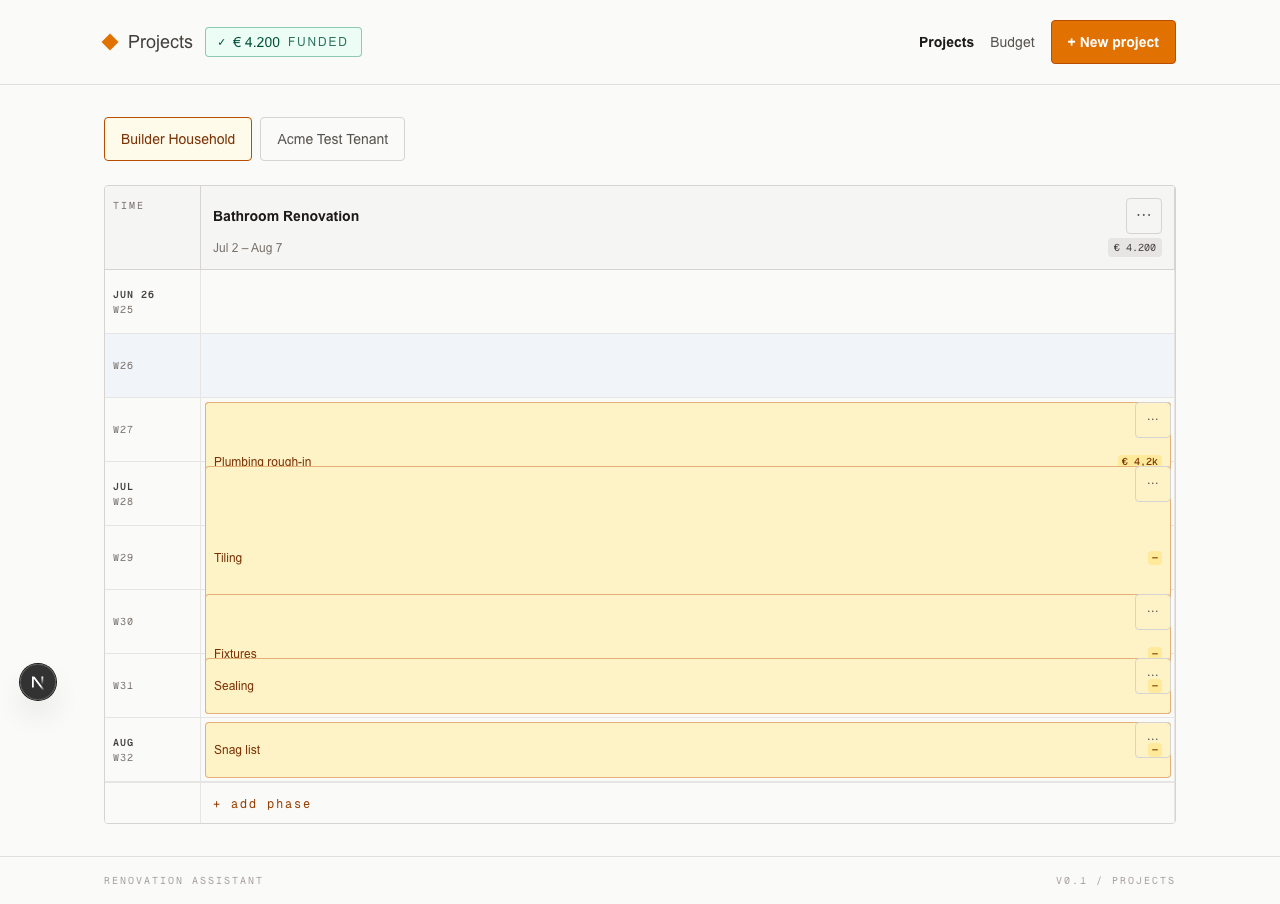
Every project and its phases laid out on a single chronological timeline — chimney, bathroom, trailer, the lot.
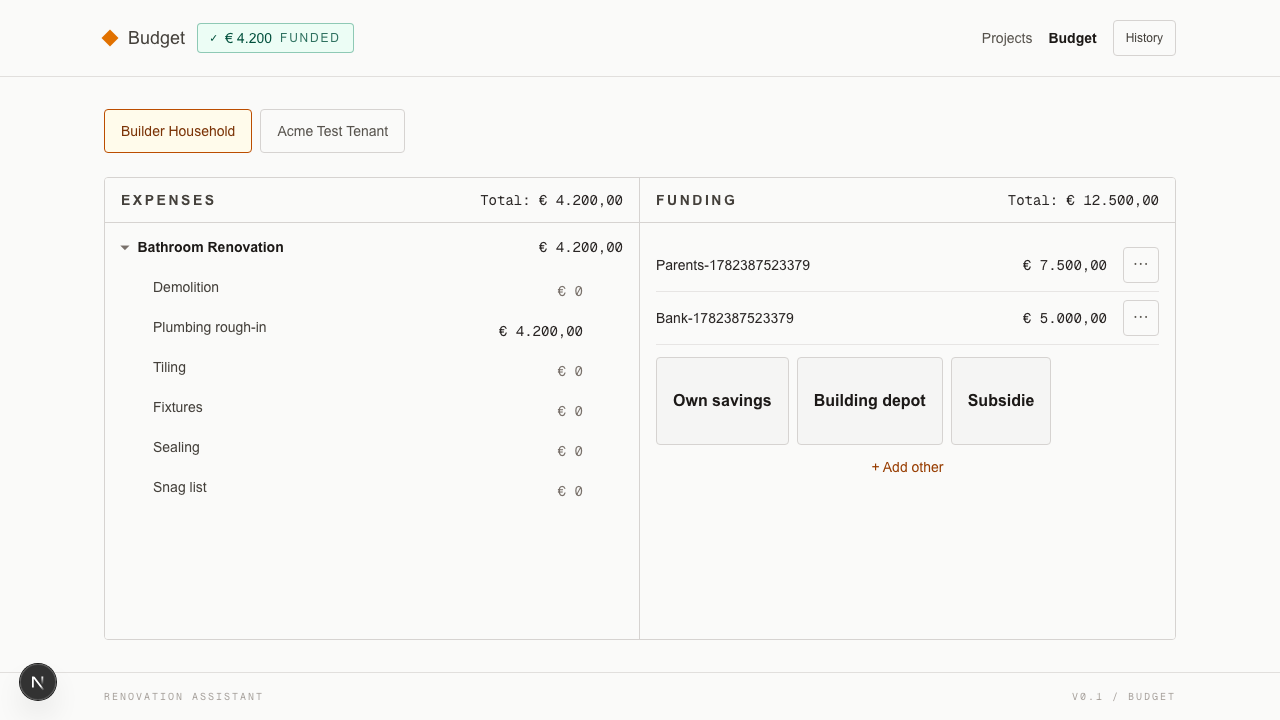
Expenses per project and phase, funding sources alongside, and an append-only audit trail so budget inflation is traceable instead of mysterious.
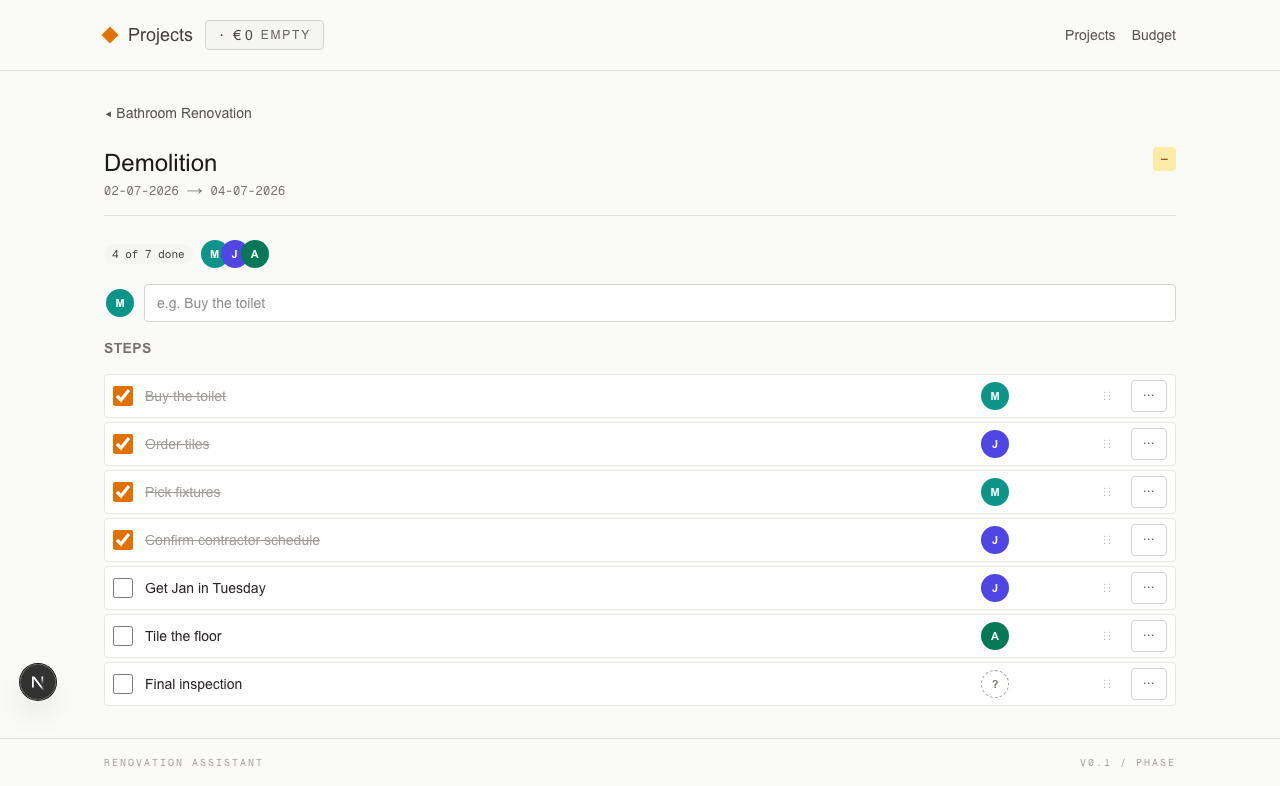
Inside each phase, a checklist of concrete steps with a person attached — you, your partner, or a contractor by name.
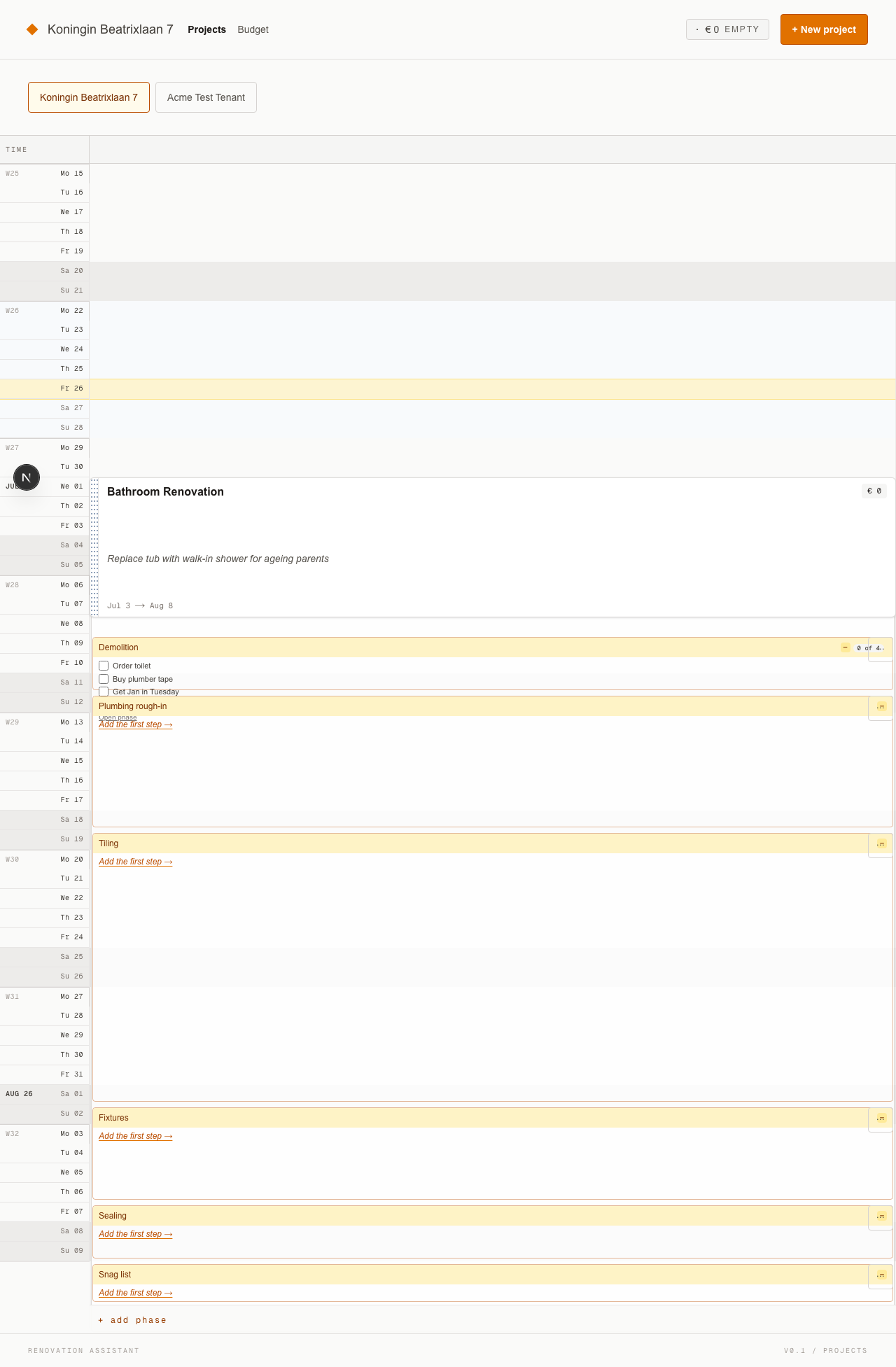
Big-card projects with goal + dates + budget; tick steps inline; drag phases to reschedule on web and mobile.
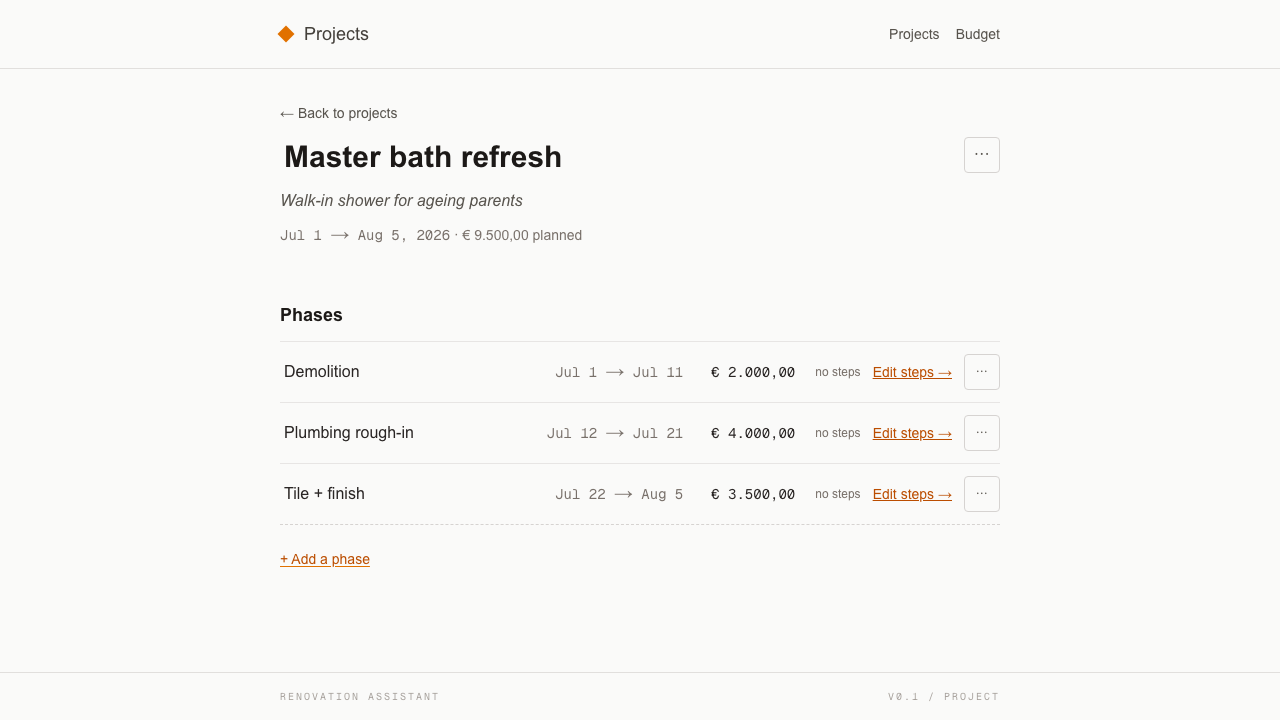
Click any project title and land on a single page that holds the whole project — name, goal, phases, dates, budget — all editable in place.
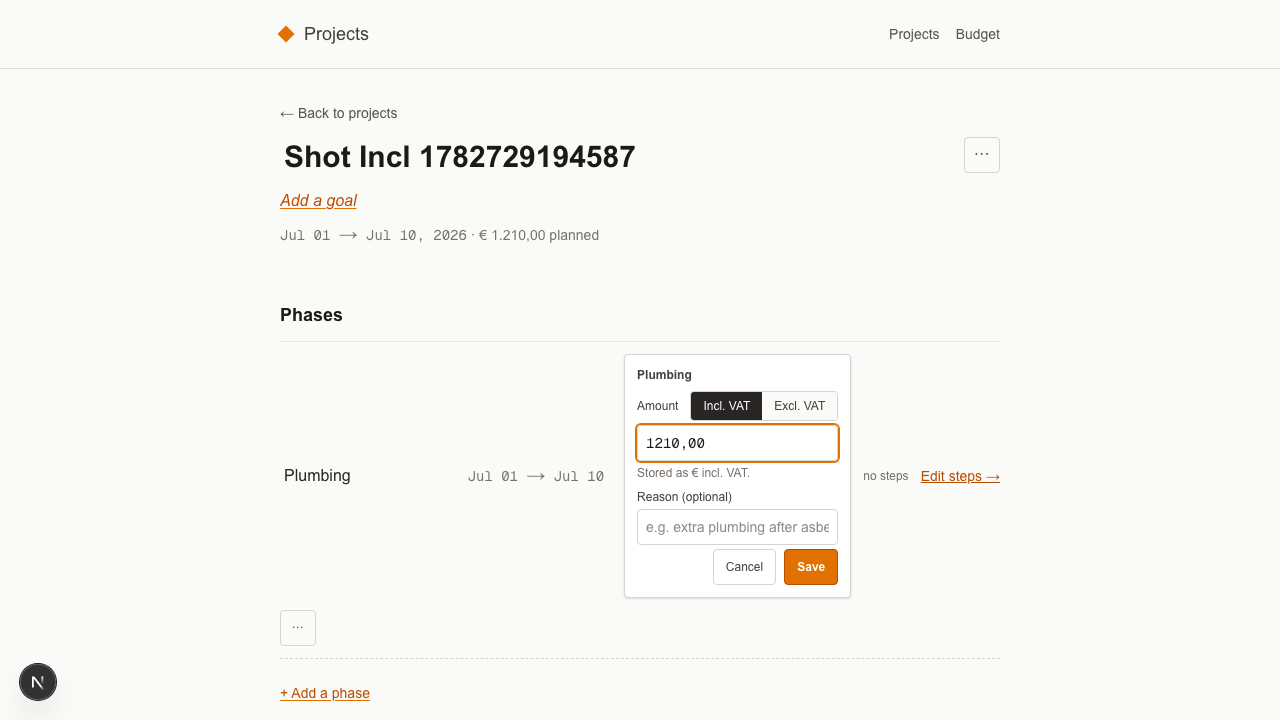
Contractor quotes arrive excl. VAT (“€ 1.500 + BTW”). Flip the toggle on the phase budget editor and type the number on the quote — we do the 21 % (or 9 %) math.
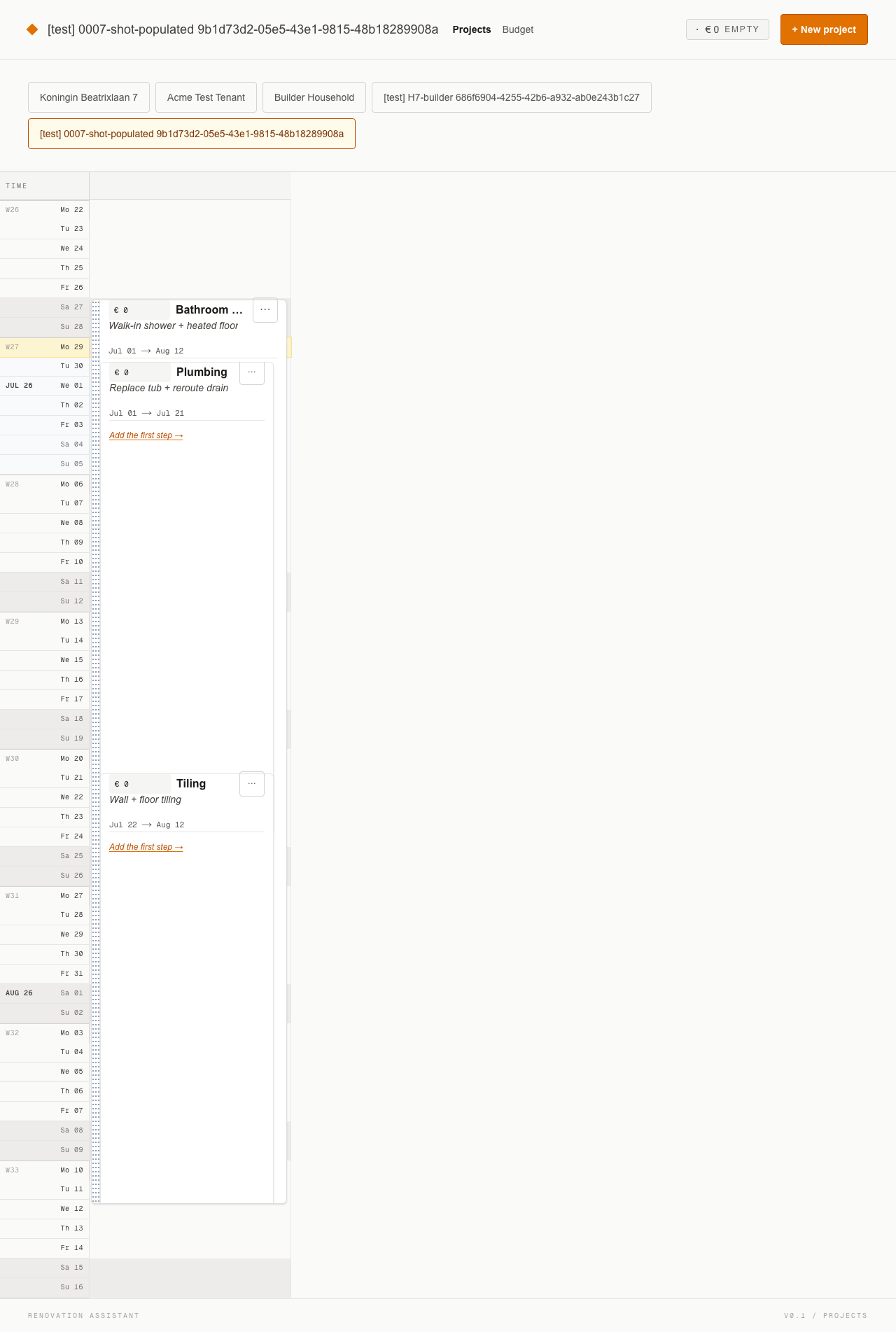
Every project and phase card is the same fixed width with the same strict header — budget, title, goal/description, dates — so duration shows up as the card's height, not as a different-shaped card.
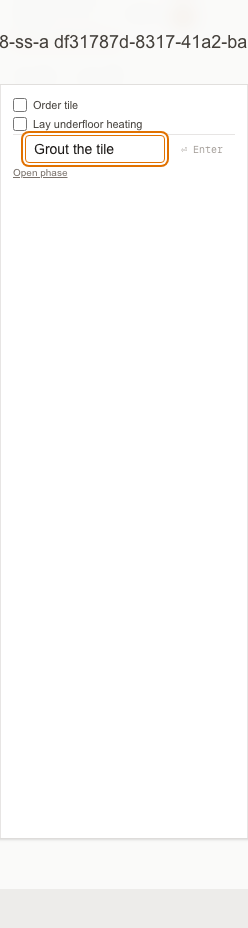
A persistent + Add a step row at the bottom of every phase's inline step list — type the step you just thought of, hit Enter, stay on the timeline.
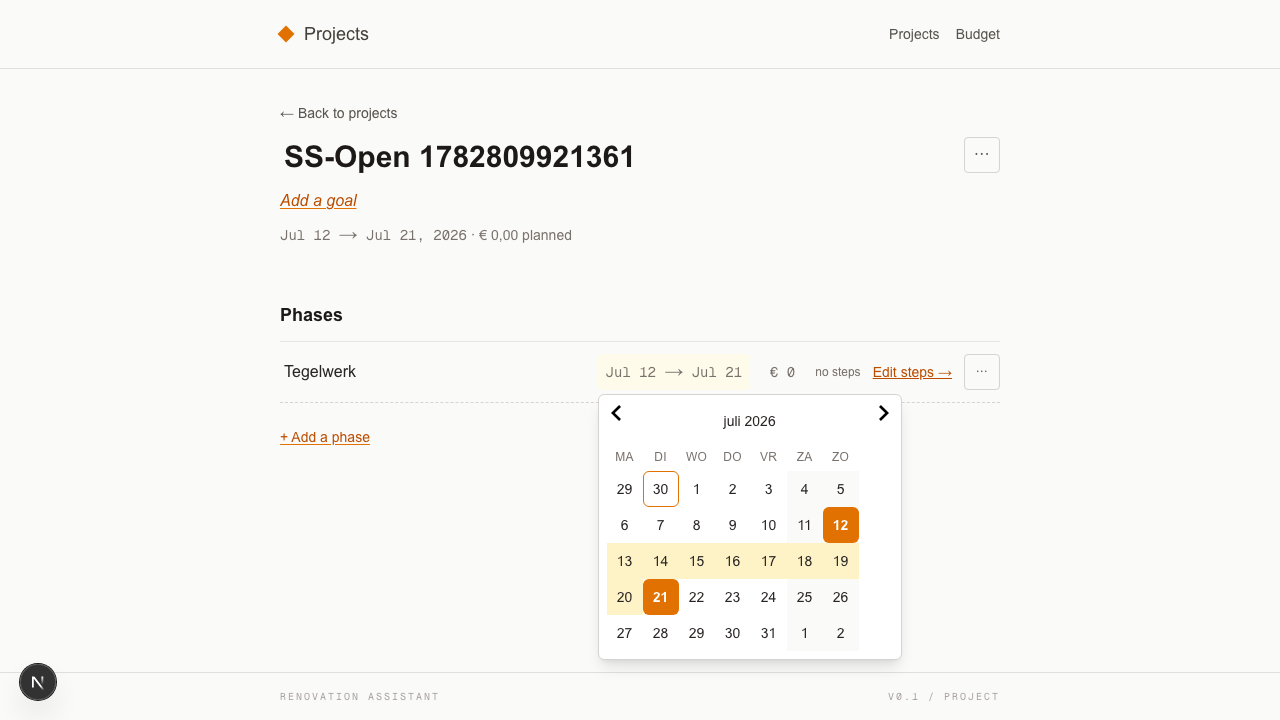
Phase start and end dates open a two-month calendar popover — click the start day, click the end day, range saved. No more fighting the OS date picker on mobile or typing `YYYY-MM-DD` by hand.

The project bar on the /projects timeline now reflects only the execution work — default-type phases. Prepare phases still exist, still budgeted, still stepped; they just don't stretch the project's headline dates. Kitchen is a January project again.

A phase now carries a `type` — `default` (execution) or `prepare` (planning). Add a prepare phase for the kitchen decisions you're making now while the install slot is still six months away, and it sits early on the timeline where it belongs — no more pretending the install starts in July.
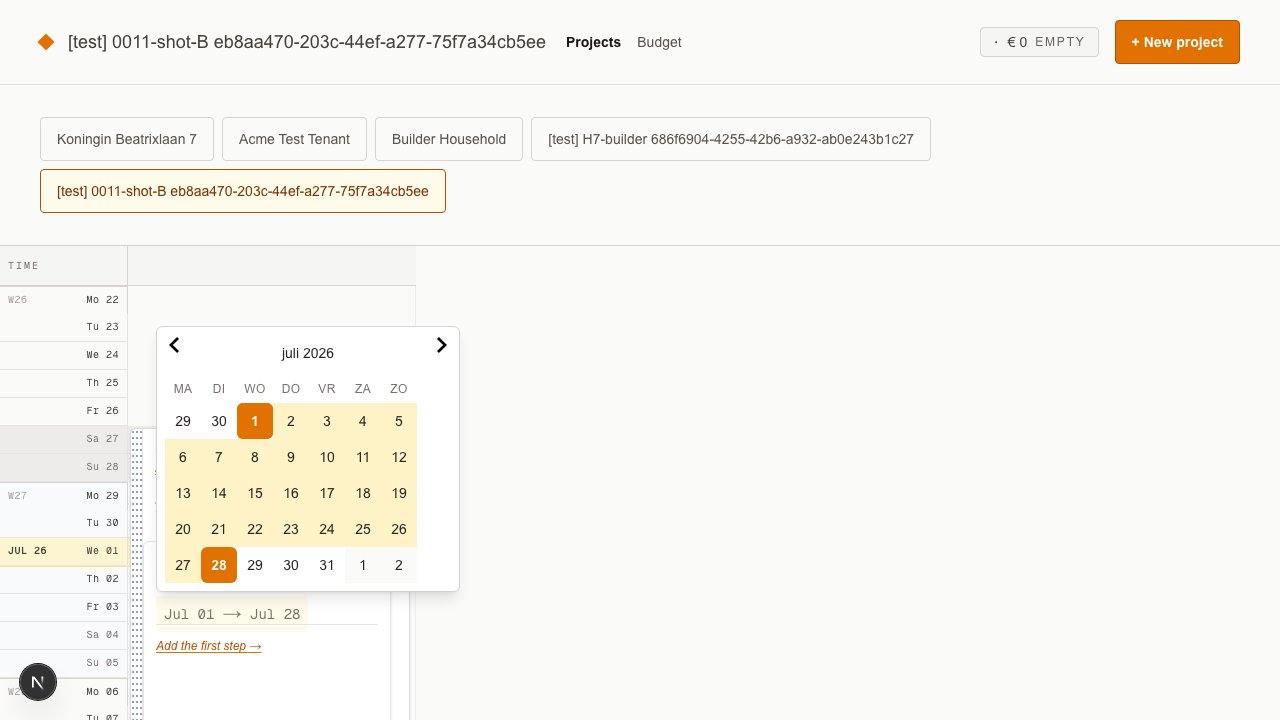
Every visible date range — on the projects timeline PhaseCard and on the phase detail page header — is now clickable and opens the same calendar popover from 0009. If you can read it, you can retarget it.
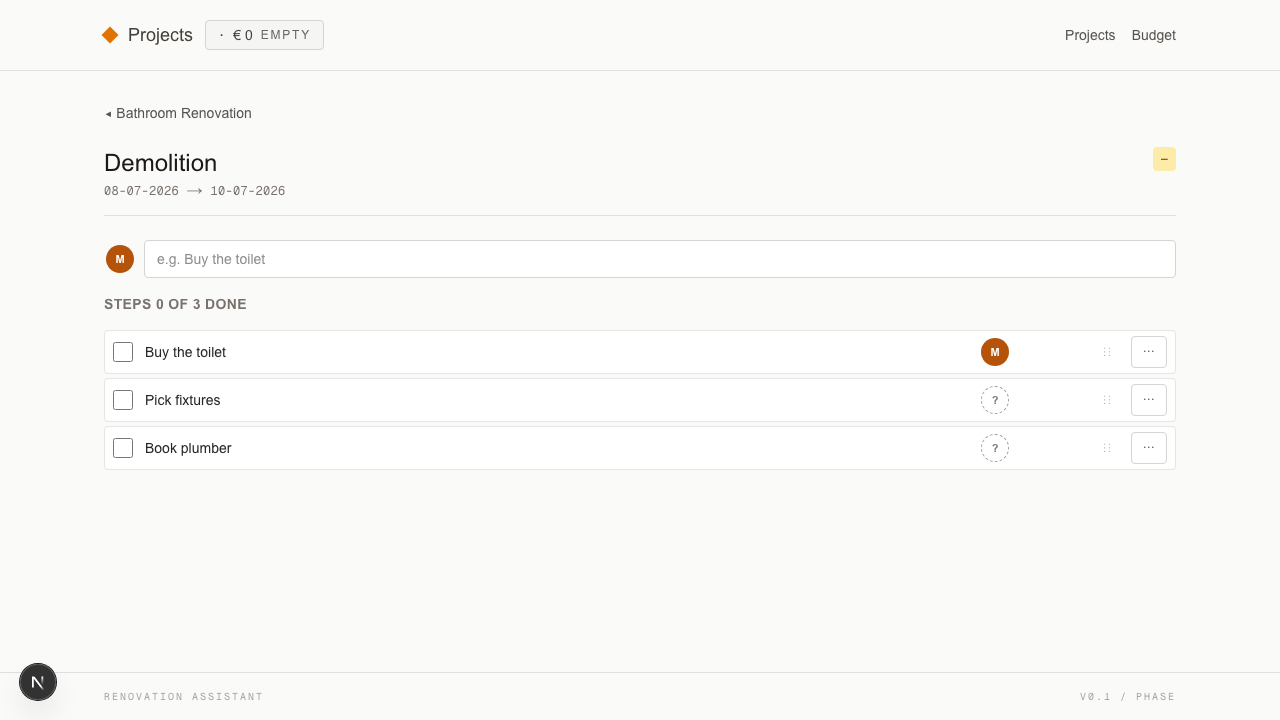
The phase page's Steps section now carries the counter inline in its heading (`Steps X of Y done`) and drops the redundant "Add your first step →" line — the sticky add-step input is the only call to action.
A template is a static shell you maintain. This is a live tool that rolls up the budget and tracks who is doing what, so the daily reason to open it is new information, not data entry.
A spreadsheet shows one number. This shows the numbers that actually matter on a renovation — planned, expenses, funding, history — with an append-only log so budget inflation is traceable instead of mysterious.
Reddit gives you a delayed, anonymous, single-shot opinion. This keeps the structured scope you already entered — phases, steps, owners, budgets — private and ready, every time a new question shows up.
The project bar on the /projects timeline now derives its range from default-type phases only. Prepare phases still exist, still budgeted, still stepped — they just don't stretch the project's headline dates. Kitchen with a Jul-Dec prepare phase and a January install phase now renders as a January project on the timeline. Projects with only prepare phases land in the Unscheduled slot until the first default phase is added. Silent for anyone without prepare phases; no data migration, no banner. Story 0019 shipped.
Every phase now has a `type`: `default` for execution work, `prepare` for the planning window that sits ahead of it. The Add-phase sheet gains a segmented control at the top so you can flip it on the way in; a small `Prepare` badge shows next to the name once it's saved. Step CRUD, planned budget, expected-cost rollup — all identical to a default-type phase. You can have as many prepare phases per project as the shape of the work needs. Story 0017 shipped.
Every date range you can see is now a click target. The timeline PhaseCard's `Jul 01 → Jul 28` row and the phase detail page header both open the same calendar popover from 0009 — anchored in place, two-click range select, keyboard-reachable. Project card dates stay derived (they sum their phase children), so clicking one reveals a small hint tooltip instead of an editor. Under the hood: every timestamp the backend stores or logs is now UTC — invisible to you, but the audit trail stays comparable regardless of who is looking at it. The display layer is the only place local-time conversion happens. Story 0011 shipped.
The Steps section on the phase detail page now carries the counter inline in its heading — `Steps X of Y done`, or `Steps 0 of 0` when empty — and the standalone counter row above the input is gone. The redundant "Add your first step →" line is also gone; the sticky add-step input is the only call to action. Counter updates optimistically on add/complete; screen reader announces the new count via the live region. Timeline PhaseCard's counter pill from 0007 is untouched. Story 0010 shipped.
Phase start and end dates no longer open the OS date picker or demand a typed `YYYY-MM-DD` — they open a calendar popover anchored under the field, with two months visible side by side on desktop and one month stacked on mobile. Click the start day, click the end day, range saved (auto-swaps if you pick an earlier end). Keyboard-reachable end-to-end: arrows navigate, Enter picks, Esc closes. Same popover on web and mobile. Story 0009 shipped.
Every phase card with at least one step now has a persistent + Add a step row at the bottom of its inline step list — on the project timeline, on the editable project page, and on mobile. Click it, type the title, hit Enter — the step appears at the bottom of the list and the counter pill ticks up by one. Empty phases keep the existing "Add the first step →" affordance. Story 0008 shipped.
Every project and phase card now has a fixed width and a uniform header — budget chip, title, goal or description, dates — so two cards look like the same kind of thing whether the project runs a week or a year. Duration shows up as the card's height. Phases gained an editable description field that fills the goal slot. Story 0007 shipped.
Phase budget editor gained an Incl. VAT / Excl. VAT segmented toggle, with a 21 %/9 % rate picker on Excl. Type the contractor quote as written; we do the math. Storage stays incl-VAT — no API or MCP changes. Story 0006 shipped.
Click a project title to open its own page and edit the name, goal, phase dates, and phase budgets all in one place. Story 0005 shipped.
Big-card projects with goal, dates, budget, and inline step checkboxes. Drag a phase to reschedule, or grab the grip column to shift the whole project. Story 0004 shipped.
Phases now contain steps with owners. Story 0003 shipped.
Expenses, funding sources, and a full audit trail. Story 0002 shipped.
Projects, phase templates, and the shared timeline. Story 0001 shipped.
Free during the public build. Built in the open, on a real renovation.